Normal to 4K Ultra HD Gemini Photo Editing Prompts 2026
A clear photograph looks more attractive on profile pages, social posts, thumbnails, portfolios, and digital projects. However, an ordinary image may contain soft facial details, weak colours, digital noise, poor lighting, or an unfocused background.
Normal to 4K Ultra HD AI photo editing prompts give Gemini specific instructions for improving the existing photograph. They can refine edges, sharpen important textures, correct exposure, balance skin tones, reduce visible grain, and add clearer depth without changing the entire composition.
The main goal is not to rebuild the face or replace the original scene. A controlled 4K photo enhancement prompt should retain the same identity, expression, pose, clothing, accessories, and camera angle while improving resolution and visual clarity. For more accurate portrait framing and camera details, add Best Portrait Photography AI Editing Prompts here.
These Gemini image enhancement prompts can be adapted for portraits, selfies, landscapes, travel pictures, low-light photos, product images, and older photographs. The sections below include normal-to-HD prompts, Ultra HD quality terms, practical editing steps, and fixes for common upscaling problems.
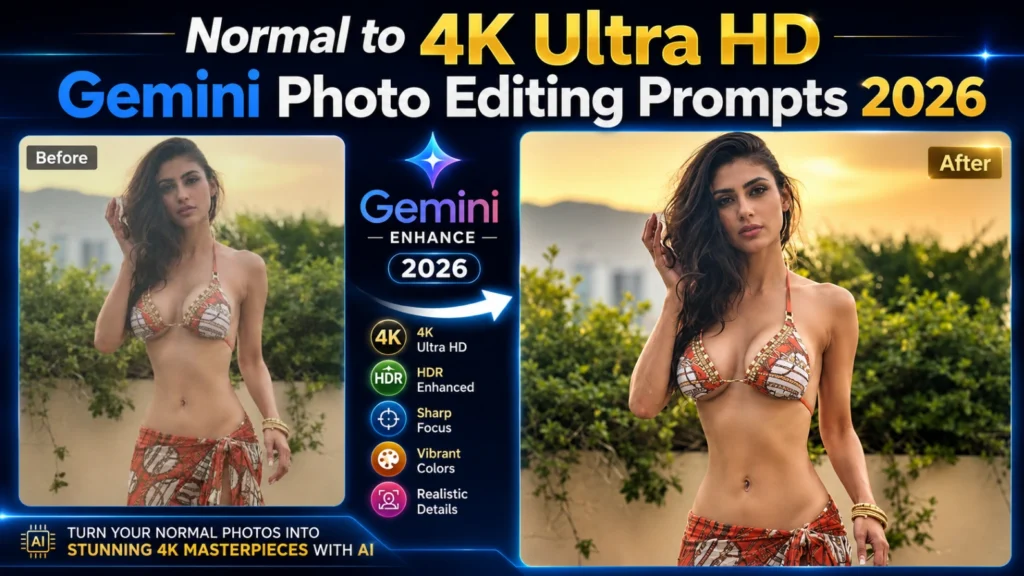
What Are Normal to 4K AI Photo Editing Prompts?
Normal to 4K AI photo editing prompts are detailed instructions used to transform ordinary photos into ultra-high-definition images. These prompts guide AI tools like Gemini to enhance image quality, improve sharpness, increase resolution, refine facial details, and add professional lighting effects. The result is a crystal-clear image that looks like it was captured using an expensive DSLR camera.
In 2026, AI-powered photo enhancement has become one of the most popular editing trends. Content creators, influencers, photographers, and social media users are using AI prompts to upgrade old, blurry, or low-quality photos into stunning 4K Ultra HD images within seconds. Also visit: AI Edit Prompts & toxic prompt gemini.
Best Features to Include in 4K AI Prompts
To get the best 4K AI-enhanced images, include important quality and photography details in your prompts. These features help AI create sharper, clearer, and more realistic results.
Why Are 4K AI Photo Enhancements So Popular?
High-quality visuals attract more attention on social media platforms. Whether you’re posting on Instagram, Facebook, TikTok, or YouTube, sharp and detailed photos appear more professional and engaging.
AI enhancement prompts make it possible to improve image quality without learning advanced editing software. Even beginners can create professional-looking results simply by providing a detailed prompt to AI image tools.
Best Normal to 4K Ultra HD AI Prompts
Professional Portrait 4K Enhancement
Outdoor Photography 4K Upgrade
Social Media Profile Photo Enhancement
Low-Quality to 4K Restoration
Cinematic 4K Photo Enhancement
Benefits of Using 4K AI Photo Enhancement
4K AI photo enhancement offers an easy way to improve the quality of ordinary images without requiring advanced editing skills. Modern AI tools can automatically increase resolution, sharpen details, improve lighting, and enhance colors, making photos look more professional and visually appealing. Whether you’re a content creator, blogger, photographer, or social media user, 4K enhancement can significantly improve the overall impact of your images.
When the enhanced image is intended for a display picture, use Instagram Profile Picture AI Photo Editing Prompts for square cropping, facial positioning, and profile-focused composition.
Some of the major benefits of using 4K AI photo enhancement include:
By using detailed AI prompts and modern enhancement tools, anyone can transform normal images into stunning 4K Ultra HD photos that capture attention and leave a lasting impression.
Best AI Tools for 4K Photo Enhancement in 2026
Thanks to rapid advancements in artificial intelligence, several powerful tools can now transform ordinary photos into stunning 4K Ultra HD images. These platforms use advanced enhancement algorithms to improve sharpness, colors, lighting, and overall image quality with minimal effort.
Some of the best AI tools for 4K photo enhancement in 2026 include:
Using a combination of these tools can help you achieve highly realistic and professional 4K photo enhancements for social media, websites, portfolios, and personal projects.
Tips for Better 4K AI Results
Creating stunning 4K AI-enhanced images is not just about using the right tool—it also depends on how detailed your prompt is. The more information you provide about lighting, sharpness, colors, textures, and image quality, the better the AI can understand your vision. Well-written prompts help Gemini generate clearer, more realistic, and professional-looking results.
To achieve the best possible 4K enhancements, keep these tips in mind:
Add a Preservation Line Before the 4K Quality Terms
Words such as “4K,” “Ultra HD,” “HDR,” and “highly detailed” can increase visual sharpness, but they do not tell the AI which parts of the original photograph must remain unchanged. Add a separate preservation line before requesting the quality upgrade.
The preservation instruction can mention:
Common Mistakes to Avoid
Many users fail to get good results because their prompts are too short or vague.
Avoid these mistakes:
Conclusion
Normal to 4K Ultra HD AI photo editing prompts are an excellent way to transform ordinary images into professional-quality visuals. With the help of Gemini AI, anyone can enhance photo resolution, improve details, sharpen focus, and create stunning Ultra HD images without complex editing skills. By using detailed prompts and specifying lighting, textures, colors, and camera quality, you can achieve realistic 4K results that stand out on any platform in 2026.