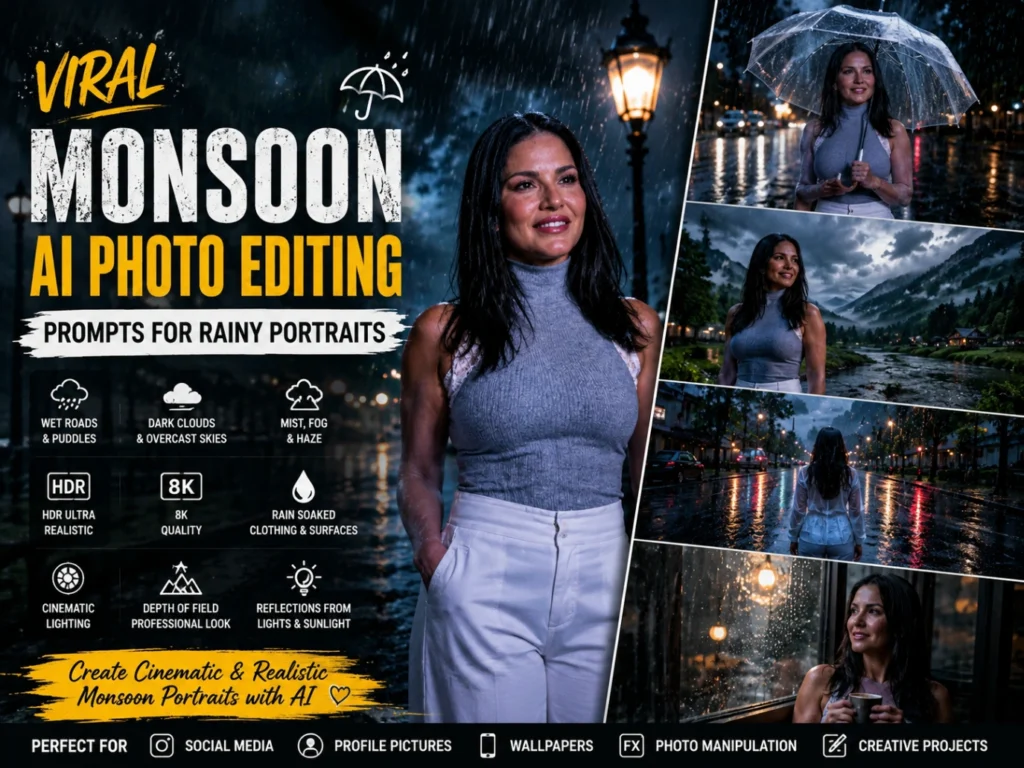
Viral Monsoon AI Photo Editing Prompts for Rainy Portraits 2026
Monsoon weather can give an ordinary portrait a completely different atmosphere. Dark clouds, falling raindrops, fresh greenery, wet streets, and soft reflections can turn a simple picture into a cinematic rainy-season scene.
Monsoon AI photo editing prompts make it easier to control each visual detail through clear text instructions. You can add a transparent umbrella, rain-soaked city roads, traditional clothing, misty hills, stormy skies, or a peaceful village background while keeping the original face natural and recognizable.
A strong rain portrait prompt should describe the rainfall intensity, lighting direction, wet fabric, damp hair, natural skin texture, camera angle, and puddle reflections. These details help create realistic monsoon photo edits instead of applying a flat or artificial rain overlay. For darker shadows and atmospheric colour grading, you can also explore Moody Aesthetic AI Photo Editing Prompts
Below are ready-to-use rainy photo prompts for urban monsoon portraits, traditional outfits, umbrella poses, misty landscapes, and dramatic wet-weather scenes.
What Are Monsoon AI Photo Editing Prompts?
Monsoon AI Photo Editing Prompts are detailed text instructions used to generate or edit rainy-season images with artificial intelligence tools. These prompts describe every important visual element, including rainfall, dark clouds, wet roads, reflections, greenery, lighting, clothing, poses, and overall atmosphere. AI tools use these descriptions to create realistic and cinematic monsoon-themed photos.
Monsoon AI prompts in 2026 have become increasingly popular because they help users create professional-looking images without advanced photography skills. Whether you want a romantic rainy portrait, a dramatic city scene, or a beautiful nature landscape, the right prompt can transform a simple image into a stunning masterpiece.
Detailed prompts usually produce better results because they give the AI clear instructions about the desired style, mood, and visual effects.
Why Monsoon AI Photo Editing Is Trending
Monsoon-themed images attract attention because they combine beauty, emotion, and cinematic aesthetics. Rain creates natural reflections, soft lighting, and dramatic skies that make photos more engaging. Social media users love monsoon edits because they feel fresh, artistic, and visually appealing.
AI technology makes it easy to create these effects without professional photography equipment. With detailed prompts, anyone can generate realistic rainy scenes, dreamy portraits, and cinematic outdoor images within seconds. Rain can also add softness and emotional depth to close-up photography. For romantic compositions with natural expressions and tighter framing, explore Couples Close-Up AI Photo Editing Prompts
Best Monsoon AI Photo Editing Prompts 2026
Cinematic Rain Portrait Prompt
Romantic Monsoon Couple Prompt
Village Monsoon Scene Prompt
Royal Monsoon Portrait Prompt
Monsoon Road Adventure Prompt
Rainy Street Fashion Prompt
Nature Monsoon Beauty Prompt
Traditional Monsoon Look Prompt
How to Create Realistic Rain Effects Using AI
Creating realistic rain effects with AI requires more than simply adding the word “rain” to your prompt. The best monsoon AI images include detailed descriptions of raindrops, wet surfaces, reflections, lighting, weather conditions, and atmospheric elements.
To achieve professional-quality results, describe how the rain interacts with the environment. Mention water droplets on clothing, reflections on wet roads, puddles on the ground, mist in the air, and dark monsoon clouds in the sky. Combining these elements helps AI create a believable rainy-season scene with depth and realism.
Tips for Realistic Rain Effects:
How to Match Rain, Reflections, and Lighting
Realistic rainfall should interact with the complete environment. Mention one consistent rain direction and keep it the same across the umbrella, clothing, hair, trees, windows, and background surfaces. Wet roads and puddles should reflect the same sky, streetlights, vehicles, or buildings visible in the scene. Reflections should appear slightly blurred instead of looking perfectly sharp like a mirror. Keep raindrops near the camera larger and softer, while distant rainfall should look finer and less detailed.
Add subtle mist to create depth between the foreground and background. Avoid making the skin, clothes, and surroundings equally glossy. Damp hair strands, slightly wet fabric, soft facial highlights, and controlled surface reflections usually produce a more natural rainy-season portrait.
For clearer facial details after generating the final image, add Normal to 4K Ultra HD AI Photo Editing Prompts at the end of this section. This page is also published on your site.
Best AI Tools for Monsoon Photo Editing
Several AI tools can help create impressive monsoon-themed images with realistic rain effects and cinematic quality. These platforms offer advanced image generation and editing features that make it easy to produce professional results.
Top AI Tools:
When using these tools, combine detailed weather descriptions, realistic lighting, and rain effects to achieve the best results.
Common AI Prompt Writing Mistakes During Monsoon Editing
Many beginners make mistakes that reduce the quality of their AI-generated monsoon images. Understanding these common errors can help you create more realistic and visually appealing results.
Mistakes to Avoid:
By avoiding these mistakes and writing clear, detailed prompts, you can generate highly realistic monsoon AI photos that look professional and attract more engagement on social media platforms.
Tips for Creating Better Monsoon AI Images
Conclusion
Monsoon AI Photo Editing Prompts 2026 offer endless creative possibilities for creating stunning rainy-season images. From romantic couple portraits to cinematic city scenes and beautiful nature landscapes, monsoon-themed edits continue to dominate social media trends.
The secret to generating amazing AI images is using detailed prompts that describe weather, lighting, reflections, colors, and atmosphere. The more specific your prompt, the better the final result will be.
Start experimenting with these monsoon AI prompts and create eye-catching visuals that capture the beauty and magic of the rainy season in 2026.