Aesthetic Couples Eyes Photo Prompts: Romantic AI Photo Ideas
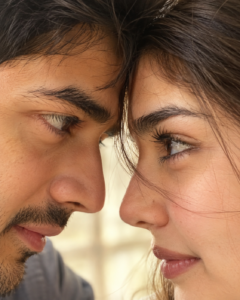
Some couple photos feel special because of the little details, like a shy look, a smile, or the way two people look at each other. The aesthetic couples eyes photo trend captures that feeling by focusing on the eyes and the small details around them. The result can look romantic, natural, and a little cinematic.
You can create this style with ChatGPT, Gemini, or another AI image generator. Try a close-up selfie, a soft indoor portrait, or a late-night flash photo. Below, you will find ready-to-copy prompts for different moods. You can use them with reference photos or adjust the details to match your own style.
Best Aesthetic Couples Eyes Photo Prompt
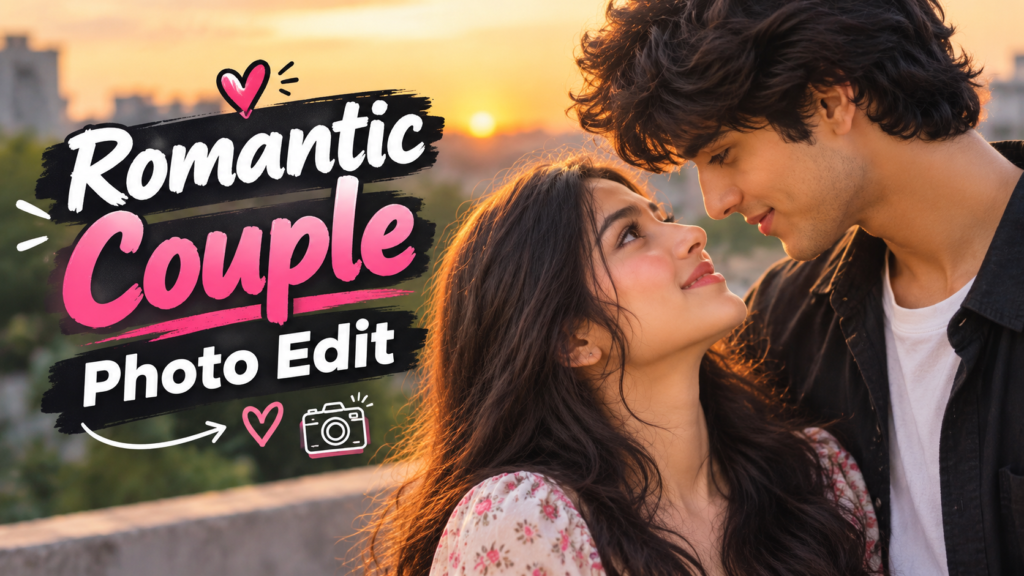
If you want to try the trend for the first time, start with a simple close-up. This prompt focuses on natural eyes, realistic skin texture, and a romantic look without making the image feel overly edited.
Show / Hide Prompt
Soft and Romantic Couples Eyes Prompt
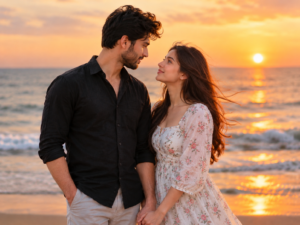
This style works well if you prefer a gentle, dreamy photo instead of a dramatic close-up. Soft lighting and relaxed expressions give the image a warm feeling.
Show / Hide Prompt
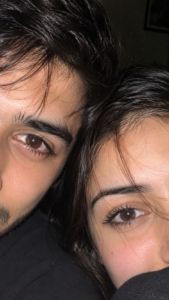
Aesthetic Couples Eyes iPhone Flash Prompt
A little phone flash can give a couple photo a completely different look. This style feels like a spontaneous picture taken late at night, with bright eyes and slightly imperfect framing.
Show / Hide Prompt
Black-and-White Couples Eyes Photo Prompt
If you like a classic photography style, try a black-and-white edit. Without bright colors, the attention stays on the eyes, expressions, and contrast between light and shadow.
Show / Hide Prompt

Couples Eyes Photo Prompt with Golden-Hour Lighting
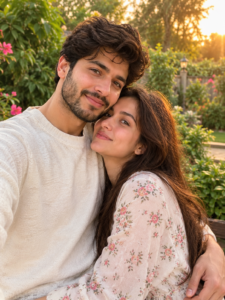
Golden-hour light gives photos a warm glow that can make even a simple close-up feel special. Use this prompt if you want a softer outdoor look rather than a bedroom or studio setting.
Show / Hide Prompt
How to Create Aesthetic Couples Eyes Photos
You do not need advanced editing skills to try these prompts. A few clear steps can help you get a better result.
- Choose your AI tool. Open ChatGPT, Gemini, or another image generator that supports your preferred image workflow.
- Prepare your photos. If you want the result to resemble you and your partner, use clear reference photos that you both have permission to use.
- Copy a prompt. Choose a style that matches your idea, such as a soft selfie, a black-and-white portrait, or an iPhone flash look.
- Upload the reference images. Follow the tool’s instructions for adding one or two photos.
- Generate the image. Review the eyes, facial features, lighting, and crop before saving the result.
- Make small changes. If the first result looks too polished, ask for more natural skin texture or softer lighting. If the eyes look distorted, simplify the prompt and try again.
You can also use these prompts as a starting point and change the background, clothing, or lighting to create a style that feels more personal.
Tips for Better Couples Eyes AI Photos
A detailed prompt can help, but adding too many unrelated instructions can make the result less consistent. Start with the main composition and adjust only a few details at a time. You can also try a Romantic Couple Photo Prompt to create beautiful couple portraits with natural poses, soft lighting, and a romantic atmosphere.
- Describe the crop: Tell the AI whether you want one eye from each person, a full close-up, or a two-panel collage.
- Keep eye colors natural: Mention the original eye colors if you want them preserved.
- Ask for realistic skin: Words such as “natural skin texture” and “subtle camera grain” can help avoid an overly smooth appearance.
- Choose one lighting style: Window light, golden hour, and direct phone flash create different moods. Pick one that fits your idea.
- Check facial details: Look for duplicated pupils, uneven eyes, strange eyelashes, or changes to the original faces.
- Keep text separate: If you want a lock-screen clock or a caption, adding it afterward can be easier than asking the AI to generate exact text.
- Respect privacy: Use your own photos or images you have permission to edit, especially before sharing the result publicly.
Final Thoughts
The best couples eyes photo does not have to look perfect. Sometimes, a simple close-up with natural lighting and a familiar expression feels more meaningful than a heavily edited portrait. You can also use a VN Template Code to create a matching video edit that captures the same romantic mood with smooth transitions and music.
Try one of these aesthetic couples eyes photo prompts and see which style suits you both. Start with the close-up prompt, then experiment with flash lighting, golden-hour colors, or a lock-screen layout. Small changes to the lighting and framing can make the final image feel much more personal.