What Are AI Photo Editing Prompts? Beginner Guide 2026
AI photo editing prompts are changing the way people create and transform images. They simply describe the changes you want in plain English, and AI tools like ChatGPT, Midjourney, Adobe Firefly, Google Gemini, and Leonardo AI can generate professional-looking results in minutes.
From removing unwanted objects to creating cinematic portraits, the possibilities are almost endless. If you’re wondering what AI photo editing prompts are, how they work, or how to write prompts that produce better results, this beginner-friendly guide has you covered.
You’ll learn the basics of prompt writing, discover the key elements of an effective prompt, explore popular editing styles, and find practical examples you can start using right away. Whether you’re a social media creator, photographer, online seller, or simply curious about AI image editing, this guide will help you create better photos with confidence in 2026.
What Are AI Photo Editing Prompts?
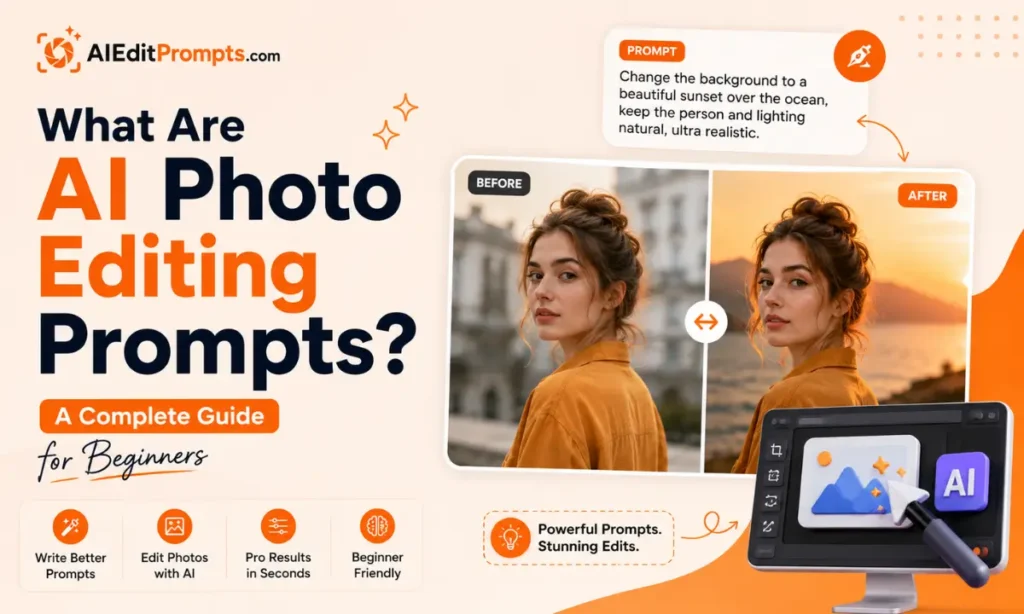
AI photo editing prompts are written instructions that tell an AI image editor exactly how to modify an existing photo. Instead of using complex editing software, you simply describe the changes you want, and the AI performs them automatically.
For example, instead of manually replacing a background in Photoshop, you could write:
Replace the background with a modern coffee shop, keep natural lighting, preserve facial features, and create a realistic depth of field.
The AI understands these instructions and edits the uploaded image accordingly.
Today, AI photo editing prompts work with tools like ChatGPT, Midjourney, Adobe Firefly, Google Gemini, Leonardo AI, and other AI-powered image editors. Try: Lofi Dusk AI Photo Editing Prompts & instagram profile picture prompt.
How Do AI Photo Editing Prompts Work?
Think of a prompt as giving instructions to an experienced photo editor. Instead of moving sliders yourself, you explain:
The better your instructions, the better your final image. Most AI editors understand natural language, so you don’t need technical photography knowledge.
Why AI Photo Editing Prompts Matter in 2026
AI image editing has become much smarter during 2026. Modern AI models can now understand:
Because these models are more advanced, prompt quality matters more than ever. A detailed prompt often produces professional-quality edits in one attempt instead of several. Also check: AI Edit Prompts.
What Makes a Strong AI Photo Editing Prompt?
The best prompts usually contain six important parts.
1. Subject
Tell the AI what should remain the focus.
Example:
Keep the woman in the foreground unchanged.
2. Editing Task
Explain exactly what you want edited.
Examples:
3. Style
Describe the visual style.
Examples:
4. Lighting
Lighting dramatically affects realism.
Examples:
5. Camera Details
Optional but helpful.
Include terms like:
6. Preserve Important Details
Always tell AI what should not change.
For example:
Keep facial features, hairstyle, pose, clothing colors, and proportions exactly the same.
This dramatically improves consistency.
Simple Prompt Formula Anyone Can Use
A beginner-friendly formula is:
Subject + Edit + Style + Lighting + Quality + Preserve Details
Example:
Edit this portrait by replacing the background with a luxury hotel lobby. Use soft natural window lighting, realistic reflections, DSLR quality, shallow depth of field, and preserve facial features, expression, clothing, and skin tone.
Popular AI Photo Editing Prompt Ideas
Background Replacement
Replace distracting backgrounds with cleaner or more professional environments.
Example uses:
Portrait Retouching
Improve portraits naturally without making them look fake.
Focus on:
Product Photography
Perfect for ecommerce sellers.
AI can:
Cinematic Photo Style
Create dramatic movie-like images using:
Vintage Film Look
Add:
Social Media Aesthetic
Generate Instagram-ready edits with:
Old Photo Restoration
Restore damaged family photos by:
Fantasy & Creative Art
Transform photos into:
Best AI Tools for Photo Editing
Different tools excel at different editing tasks.
| Tool | Best For |
|---|---|
| ChatGPT | Natural language photo editing |
| Midjourney | Creative artistic transformations |
| Adobe Firefly | Professional image editing |
| Google Gemini | Fast everyday photo edits |
| Leonardo AI | Stylized artwork and creative designs |
| Canva AI | Social media graphics |
Tips for Writing Better AI Photo Editing Prompts
A Simple AI Editing Workflow
Most beginners get the best results by following this process:
- Upload your original photo.
- Write a clear editing prompt.
- Review the first result.
- Refine only one or two details.
- Repeat until you’re satisfied.
This iterative approach consistently delivers better images than trying to describe everything perfectly in one prompt. Research on AI image editing also shows that refinement through follow-up instructions improves outcomes.
Conclusion
AI photo editing prompts have made professional-looking image editing easier than ever. Instead of mastering complicated software, you simply describe the result you want in plain English.
The key is being clear, specific, and realistic. As AI tools continue to improve in 2026, learning how to write effective prompts will become one of the most valuable skills for content creators, photographers, marketers, and everyday social media users.
Once you understand the basic prompt formula and practice refining your instructions, you’ll consistently create cleaner, more realistic, and more creative AI-edited photos.