Best Ink Splash AI Photo Editing Prompts & Art Ideas 2026
Ink splash editing brings movement into a still portrait. Dark ink can spread from the shoulders, colourful paint can burst behind the face, and selected areas can fade into expressive brush marks. The finished image creates a striking balance between realistic photography and abstract digital art.
Ink Splash AI Photo Editing Prompts provide control over how the effect appears. You can choose a dramatic black-ink composition, a bright fashion portrait, a half-face dissolve, a neon splash design, or a softer watercolor-inspired finish.
The strongest results keep the face sharp while using paint flow, scattered droplets, brush textures, and colour contrast around the subject. The ideas below cover different ink-splash styles, useful AI platforms, prompt-writing techniques, common errors, and ways to make the effect look more natural.
What Is the Ink Splash Photo Effect?
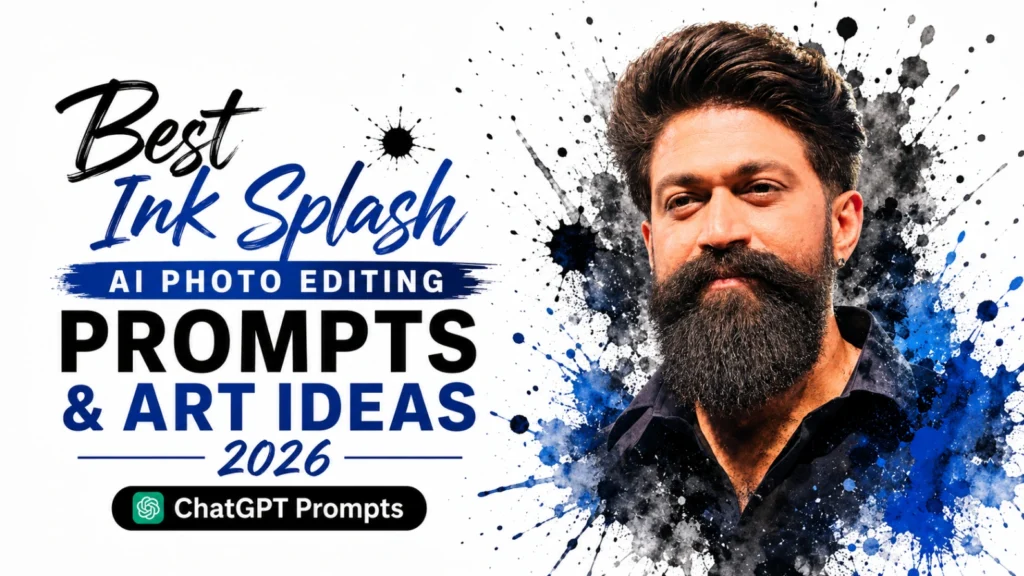
An ink splash effect is a creative photo editing style where ink, paint, or watercolor-like splashes are artistically added around a subject. It is inspired by traditional ink painting techniques but recreated digitally using modern AI tools. In this style, a normal portrait is transformed into a mix of real photography and abstract art. The subject remains realistic, while the surroundings blend into flowing ink shapes and colorful artistic elements.
Common features of an ink splash effect include flowing ink patterns, paint splash explosions, watercolor textures, and expressive brush strokes. These elements create a dynamic and eye-catching visual impact. This effect can be applied to various types of portraits, such as professional profile photos, gaming avatars, and social media images.
It helps make the image more unique, stylish, and visually engaging. With the help of AI image generators, even simple text descriptions can be turned into high-quality ink splash artwork by understanding colors, textures, lighting, and artistic styles.
Why Ink Splash Portraits Stand Out in 2026?
Ink splash effect has become one of the most popular photo editing styles in 2026 because people like creative, artistic, and eye-catching visuals for social media and personal branding. With the rise of AI image generation tools, this style can now be created easily with advanced editing skills. It combines photography with digital art, making ordinary portraits look more stylish, modern, and unique.
Best Uses of Ink Splash AI Editing
Ink splash AI editing is widely used in modern digital design because it transforms ordinary photos into creative, artistic visuals. It helps users express personality, style, and emotion uniquely while making their images stand out in the digital world. This effect is especially popular among content creators, designers, and social media users who want quick but professional-looking results.
When the artwork is intended for a display picture, use Instagram Profile Picture AI Photo Editing Prompts 2026 for facial positioning, square framing, and cleaner profile composition.
Uses of Ink Splash AI Editing:
Advanced Ink Splash AI Photo Editing Prompts
Dark Cinematic Ink Portrait
Color Explosion Fashion Model
Half Face Dissolve Artistic Style
Motion Ink Action Portrait
Watercolor Dream Aesthetic
Abstract Neon Ink Style
Control the Direction of the Ink Movement
Ink should appear to travel from a clear starting point rather than surround the subject randomly. Decide whether the splash begins from the hair, shoulders, clothing, background, or one side of the face.
The movement can follow several directions:
Keep the face and eyes mostly untouched unless the concept specifically requires a dissolve effect. Large splashes can frame the portrait, while smaller droplets and fine brush marks can connect the subject with the background.
For a half-face effect, describe the transition carefully. The realistic side should remain clear, while the artistic side gradually breaks into ink fragments instead of ending with a hard line.
AI Platforms for Creating Ink Splash Artwork
Ink splash AI photos can be easily created using modern AI image generation and editing tools. These platforms enable users to turn simple portraits into artistic, watercolor-style masterpieces without advanced editing skills.
Midjourney:
A powerful AI tool that creates highly detailed and artistic ink splash portraits with cinematic quality and realistic textures. It is used by designers for professional-level digital artwork.
Leonardo AI:
A beginner-friendly platform that generates fast and high-quality ink splash images with easy customization options for styles, colors, and effects. Users can generate creative portraits without needing advanced editing skills. It is widely used for producing detailed, professional-looking AI artwork in seconds.
Adobe Firefly:
A professional AI design tool that produces clean and realistic ink splash effects and works smoothly with Photoshop for advanced editing and creative control. Designers can easily adjust styles, textures, and colors for more polished results. It is widely used for professional-level digital art, branding, and creative photo editing.
ChatGPT:
A powerful AI tool that helps users generate creative ink splash prompts and ideas for stunning AI photo editing results. It can also guide step-by-step on how to design professional-looking artistic portraits. It is very useful for beginners because it explains concepts in simple language and helps improve prompt writing skills.
Tips for Better Ink Splash AI Photos
The quality of your ink splash AI images depends on how clearly and creatively you describe your prompt. More detailed instructions enable the AI to understand your vision better and produce more realistic and artistic results.
For lens choices, facial focus, studio lighting, and natural skin detail, refer to Best Portrait Photography AI Editing Prompts 2026.
Important editing tips include:
Common Mistakes in Ink Splash Editing
Many users achieve poor results in ink splash AI images because of common prompt-writing mistakes. The problem is not the AI tool, but unclear or poorly structured instructions.
Another issue is mixing too many styles in one prompt. Combining effects like fantasy, cyberpunk, watercolor, luxury, and sports can confuse the AI and reduce the quality of the final image.
Try to avoid:
Keeping your prompt clear, focused, and well-structured helps the AI produce more realistic, artistic, and high-quality ink splash images.
Conclusion
Ink Splash Effect AI photo editing is one of the most popular creative trends of 2026, turning ordinary photos into artistic and eye-catching digital artwork. By combining realistic portraits with flowing ink, paint splashes, and abstract effects, it creates powerful visuals that stand out on social media and digital platforms.
With modern AI tools, anyone can create professional-quality Ink Splash images without advanced editing skills. Its versatility, artistic appeal, and ability to enhance personal branding make it a favorite choice for creators, designers, and content marketers. By using detailed prompts and experimenting with different styles, you can easily create unique and visually stunning AI-generated artwork.