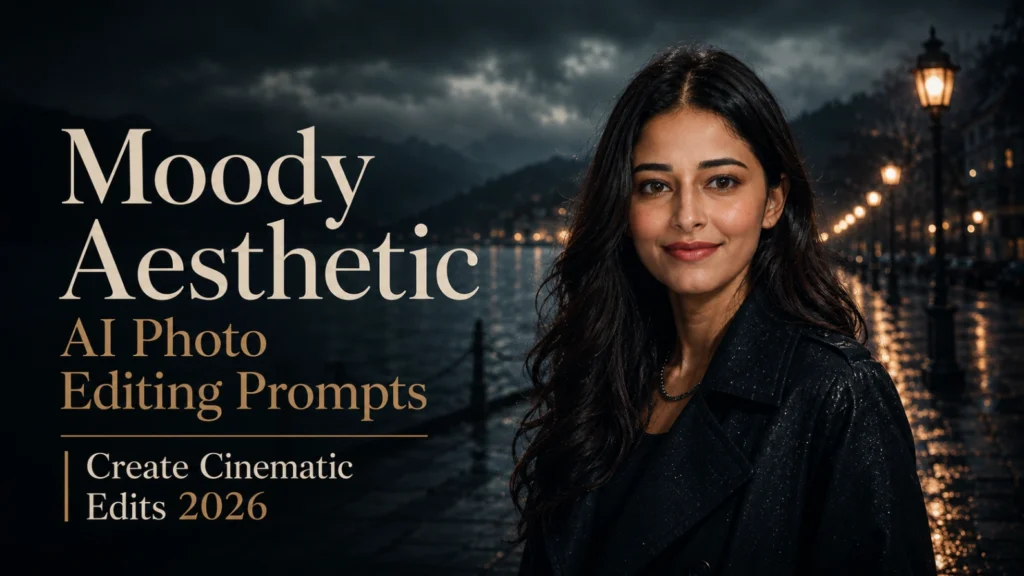
Moody Aesthetic AI Photo Editing Prompts | Create Cinematic Edits 2026
Mood in a photograph is created through more than dark filters. The direction of light, facial expression, muted color palette, environmental details, and depth of shadow must work together to communicate loneliness, mystery, calmness, or tension. When these elements are balanced, a simple portrait can feel like a carefully composed scene from a film.
With Moody Aesthetic AI Photo Editing Prompts, you can generate low-light portraits, rainy street photography, foggy landscapes, desaturated fashion edits, and emotional cinematic scenes. These prompts let you control film grain, shallow depth of field, atmospheric lighting, shadow intensity, camera framing, and dramatic color grading. For more ideas involving neon highlights and nighttime illumination, explore our Night Glow AI Photo Editing Prompts 2026
This guide provides creative prompt ideas for dark aesthetic photography, window-light portraits, monochrome edits, misty forests, and urban night scenes. You’ll also learn how to guide AI image generators, preserve natural facial details, select a suitable emotional tone, and avoid effects that make the final image look excessively dark or artificial.
What are Moody Aesthetic AI Photo Editing prompts?
Moody aesthetic AI photo editing is a modern style of creating images where artificial intelligence transforms simple photos or text prompts into dark, emotional, and cinematic visuals. This editing style focuses on mood, lighting, shadows, and color tones to give the image a deep storytelling feel, similar to movie scenes or professional photography.
It is widely used in portrait photography, fashion content, and social media posts because it makes ordinary images look artistic and high-quality. Instead of bright and colorful visuals, it uses muted tones, soft light, fog, rain, or low-light environments to create an emotional and dramatic effect. For a richer portrait setup using bold tones and controlled shadows, explore Luxury Red Background AI Portrait Editing Prompts
Why Moody Aesthetic is Popular in 2026
Moody aesthetic edits are popular in 2026 because they create a strong, emotional, and cinematic look that instantly grabs attention on social media. With the help of AI tools, this editing style has become very easy to create, even for beginners. You can also try Trending Black Devil AI Photo Editing Prompts
Another big reason for its popularity is that moody edits make ordinary photos look premium and professional without expensive cameras or studios. The combination of dark shadows, soft lighting, and cinematic color tones gives a luxury feel that performs very well on platforms like Instagram, Pinterest, and TikTok.
Several factors are driving this trend:
Best Moody Aesthetic AI Photo Editing Prompts
Rainy Window Moody Portrait
Night City NeonMoody Style
Indoor Window Light Moody Look
Forest Sunset Emotional Mood
Black and White Cinematic Style
How To Use These Prompts
Using Moody aesthetic AI prompts is very easy. You open an AI image generator, copy a prompt, paste it into the tool, and generate the image. Some tools also allow you to upload a photo for more personalized results. After a few seconds, you can download the final cinematic image and use it for social media or other projects.
Steps to create an image:
Build the Color Palette Around One Emotion
Choose the intended emotion before adding lighting and color instructions. Cool blue-grey tones can support loneliness or mystery, while faded brown and amber shades can create nostalgia or quiet warmth. For a tense cinematic portrait, use low-key lighting, controlled contrast, deep blacks, and limited highlights.
Avoid combining too many unrelated colors and effects in one prompt. A consistent emotional palette helps the AI produce stronger visual storytelling, more natural shadow detail, and a believable moody photography style.
Common Mistakes To Avoid
Many beginners make mistakes that reduce the quality of AI images:
If your prompt is weak, your image will look basic instead of cinematic.
Tips For Better Results
To get professional-quality moody aesthetic images:
Conclusion
Moody aesthetic AI photo editing is not just a trend; it is a powerful visual storytelling style in 2026. It helps creators turn simple photos into cinematic, emotional, and professional-looking artwork. With the help of detailed prompts and AI tools, anyone can create high-quality images without learning advanced editing software.
The key to success is simple: the more detailed your prompt, the better your result. If you practice regularly and experiment with different moods, lighting styles, and environments, you can easily create viral-level aesthetic images for social media.