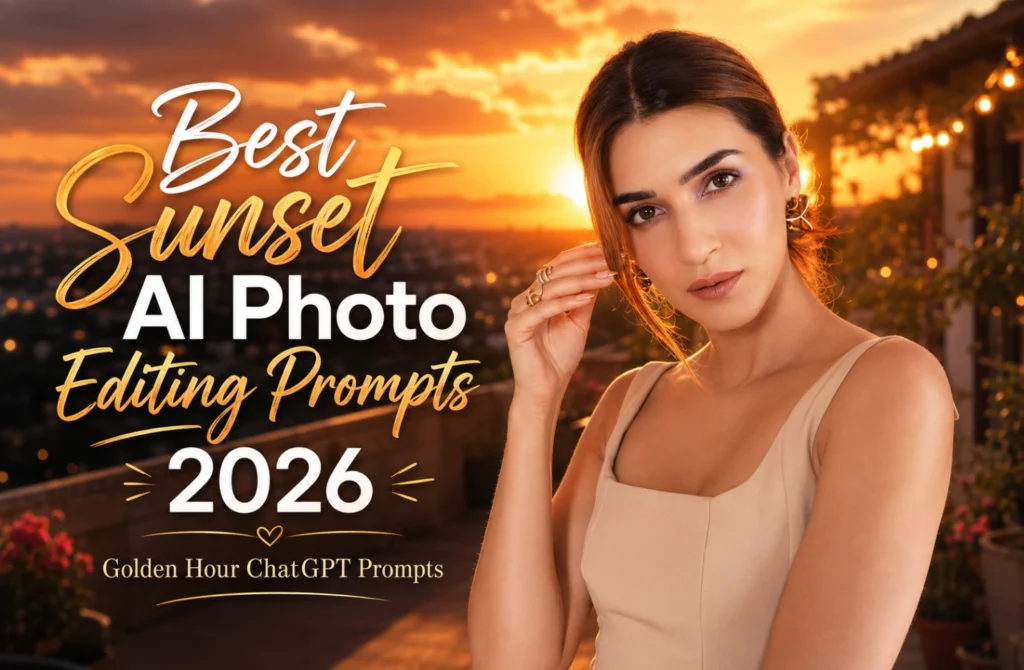
Best Sunset AI Photo Editing Prompts 2026 | Golden Hour ChatGPT Prompts
Sunset AI photo editing prompts have become a popular way to create warm and colourful images in 2026. Golden sunlight, glowing clouds, soft shadows, and dramatic evening skies can give an ordinary picture a more cinematic appearance.
These prompts provide AI tools with clear instructions about the sunset background, light direction, sky colours, reflections, camera angle, and overall mood. You can create golden-hour portraits, beach sunset photos, mountain views, city rooftop scenes, and romantic silhouette edits without complicated manual editing.
AI platforms such as ChatGPT, Midjourney, Adobe Firefly, and Canva AI can produce realistic sunset effects with warm skin tones, natural shadows, DSLR-style blur, and detailed scenery. A well-written sunset portrait prompt also helps keep the face clear while matching the subject with the surrounding light.
This article includes sunset AI prompts for beaches, mountains, urban locations, luxury portraits, and romantic evening scenes, along with simple tips for improving colour balance, reflections, and image quality.
What Are Sunset AI Photo Editing Prompts?
Sunset AI Photo Editing Prompts are detailed instructions given to AI image generators to create or enhance photos with beautiful sunset effects. These prompts describe elements such as golden-hour lighting, colorful skies, reflections, silhouettes, and cinematic backgrounds.
The more detailed your prompt is, the more realistic and visually appealing the final image becomes. In 2026, sunset-themed AI edits are widely used on Instagram, TikTok, YouTube thumbnails, and personal portfolios because of their eye-catching appearance.
Why Are Sunset AI Edits Popular in 2026?
Sunset AI photos are popular because they create a warm, emotional, and visually appealing atmosphere. The beautiful combination of golden, orange, pink, and purple tones makes images look more vibrant and professional.
These photos attract attention on social media and help content stand out from the crowd. With advanced AI tools, anyone can create stunning sunset visuals that look realistic and cinematic with minimal effort.
Some of the biggest sunset editing trends include:
How Golden-Hour Lighting Improves AI Photos
Golden hour lighting is one of the most important features in sunset AI photo editing. It creates a warm, soft, and natural glow that makes images look professional and visually appealing. AI tools use this lighting effect to add depth, realistic shadows, and cinematic beauty to photos. The golden tones enhance skin textures, improve background details, and create a dreamy atmosphere that attracts viewers instantly.
For ocean horizons, glowing waves, wet-sand reflections, and coastal golden-hour ideas, explore Beautiful Sunset Beach AI Photo Editing Prompts
Best Features:
Best Camera Angles for Sunset AI Photography
Popular Sunset Background Ideas for AI Editing
Best Color Combinations for Sunset AI Images
By combining the right lighting, camera angles, backgrounds, and color palettes, AI-generated sunset images become more realistic, eye-catching, and professional.
Match the Sun Position With Natural Shadows
A sunset image may look artificial when the sunlight comes from one direction but the shadows fall in another. Mention the sun’s position clearly inside the prompt, such as behind the subject, on the left side of the frame, or close to the ocean horizon.
When the sun appears behind the subject, request warm rim lighting around the hair, shoulders, and clothing. For side lighting, keep one side of the face softly illuminated while the opposite side remains slightly darker.
The background must follow the same lighting direction. Buildings, mountains, trees, clouds, and water reflections should receive light from the visible sunset instead of showing unrelated highlights.
Avoid placing a bright sun directly behind the face unless you also request balanced exposure. Excessive backlight can hide facial details or turn the portrait into an unwanted silhouette.
Best Sunset AI Photo Editing Prompts 2026
Beach Sunset Portrait
Mountain Sunset View
City Sunset Aesthetic
Romantic Sunset Scene
Luxury Sunset Portrait
How to Write an Effective Sunset AI Prompt
Sunset AI Photo Editing Prompts work by providing detailed instructions that help AI understand the desired look and atmosphere of an image. These prompts describe important details such as sunset lighting, sky colors, background scenery, camera angle, and overall mood.
The AI analyzes these instructions and generates or enhances photos based on the given description. The more specific the prompt, the more realistic and visually appealing the final result becomes.
What the AI Learns From a Sunset Prompt
By using well-written sunset prompts, you can easily create stunning AI-generated photos with vibrant colors, realistic lighting, and breathtaking scenery.
Best AI Tools for Creating Sunset Images
AI tools make it easy to create stunning sunset images with realistic lighting, vibrant colors, and cinematic effects. Whether you want to generate artwork from text prompts or enhance existing photos, these tools can help you achieve professional-quality results.
These tools can help you create eye-catching sunset images for blogs, social media posts, thumbnails, and creative projects in 2026.
Tips for Creating Better Sunset AI Images
Creating stunning sunset AI images requires the right combination of lighting, colors, and detailed descriptions. A well-written prompt helps AI generate realistic skies, natural shadows, and cinematic effects that enhance the overall quality of the image. By focusing on key visual details, you can achieve professional-looking sunset photos with ease.
For coordinated couple poses, elegant clothing, and softer romantic scenery, try Dreamy Pre-Wedding AI Photo Editing Prompts 2026.
Common Mistakes in Sunset Editing
Creating sunset AI images can be easy, but some common mistakes can reduce the quality and realism of the final result. Avoiding these errors helps create more natural, visually appealing, and professional-looking sunset photos.
By avoiding these mistakes, you can generate cleaner, more realistic, and more engaging sunset AI images.
Conclusion
Sunset AI Photo Editing Prompts help create stunning and professional-looking images with beautiful golden-hour lighting. By using detailed prompts, you can generate realistic photos with vibrant colors, cinematic effects, and eye-catching backgrounds.
As AI technology continues to improve in 2026, sunset-themed edits remain a popular choice for social media, photography, and creative projects. Experiment with different styles and settings to create unique sunset images that stand out.
Whether for social media, photography projects, or creative artwork, these prompts help produce high-quality images that stand out and capture attention instantly. Sunset lighting can also be applied to mountain adventures, tropical locations, city streets, and scenic vacation images. You can also try Trending Travel Photo Editing Prompts